
How to view shipping analytics in the Bolt Merchant Dashboard.
Shipping metrics display information about fulfillments and data surrounding the shipping methods available on your store.
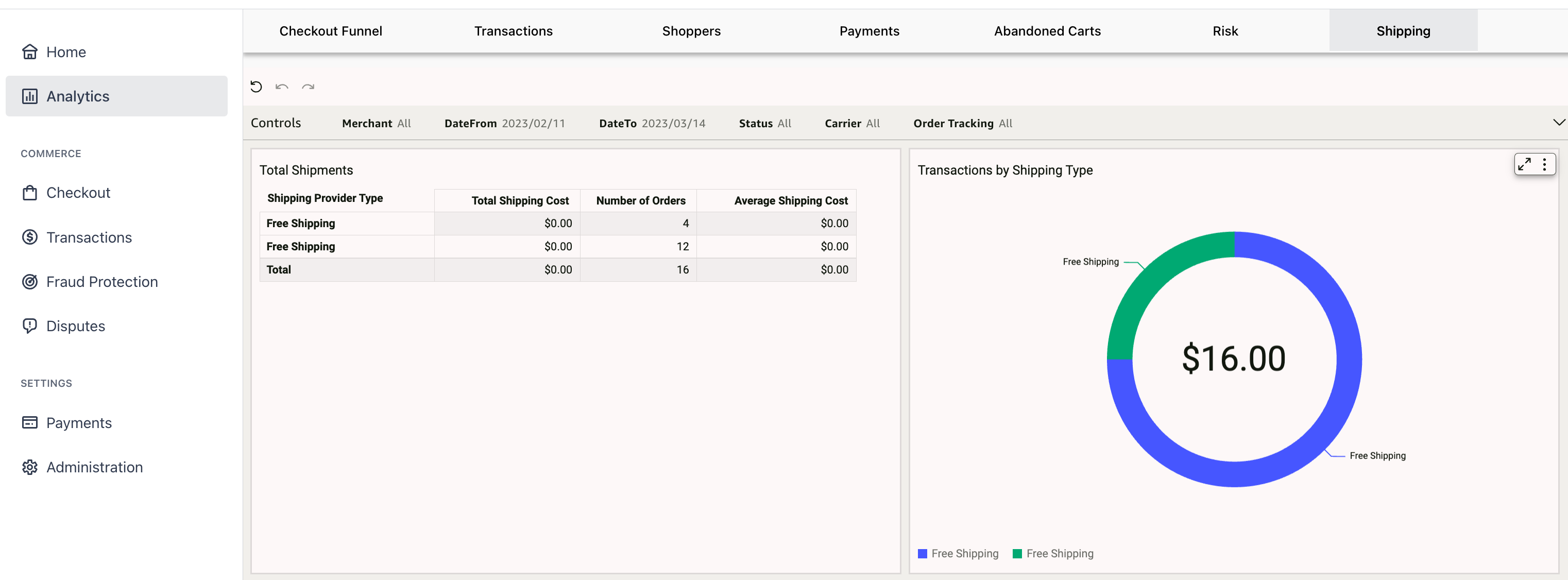
Shipping Analytics
| Metric | Type | Description |
|---|---|---|
| Total Shipments | Table | Displays chosen shipping provider, cost of shipping, number of orders and average shipping costs across dimensions. |
| Transactions by Shipping Type | Visualization | Shows total amount of shipping costs with a comparison of shipping types across dimensions. |
| Shipments by Status | Bar Graph | Shows number of shipments in different statuses (delivered, pre transit, unknown) across dimensions. |
| Shipments by Carrier | Visualization | Shows the total number of shipments broken down by carrier. |
| Time from Order to Shipping | Chart | Shows time from when item(s) were ordered to shipment in days across dimensions. |
| Average Shipping Time and Time from Order to Delivery | Chart | Displays the average time in days it takes for an order to be fulfilled. |
| % Return to Sender Shipments | Chart | Percentage of shipments returned to sender across dimensions. |
| % Cancelled Shipments | Chart | Percentage of shipments cancelled across dimensions. |
Controls
| Data |
|---|
| Merchant |
| Date From |
| Date To |
| Status |
| Carrier |
| Order Tracking |