
How to view a list of all transactions in the Bolt Merchant Dashboard.
The List View displays all transactions in a given time frame, as well as their key details.
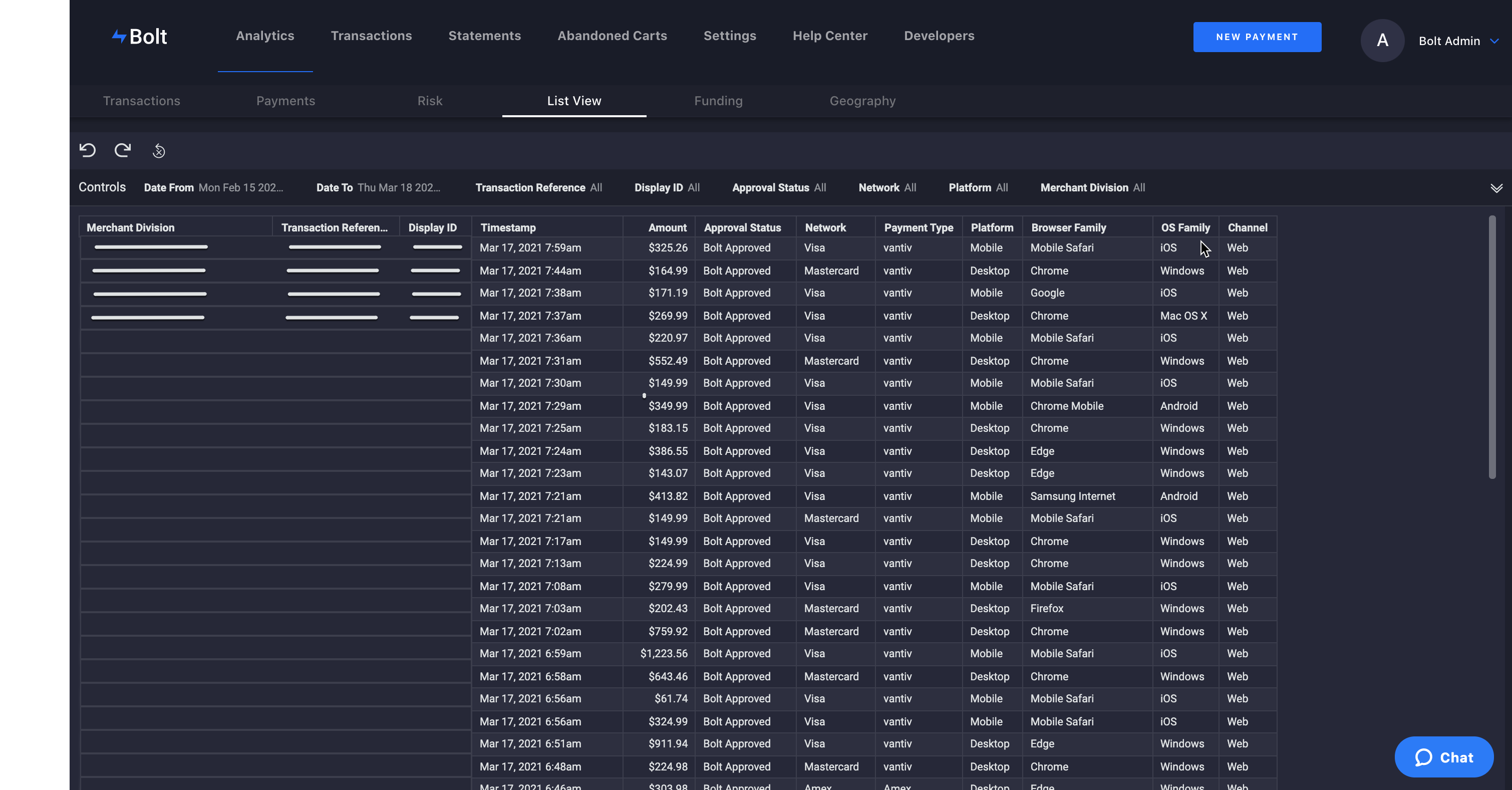
List Details
| Column | Description |
|---|---|
| Merchant Division | Account Division |
| Transaction Reference | Bolt Reference ID |
| Details | Link to the Transaction Details |
| Display ID | External Order ID |
| Timestamp | UTC |
| Auth Expiry | Date the transaction can no longer be captured (see Authorization Window) |
| Amount | USD |
| Approval Status | Bolt Risk Analysis Result |
| Transaction Status | The status of the transaction (see Transaction Webhook Statuses) |
| Network | Card Network |
| Payment Type | Processor |
| Platform | Device Type |
| Browser Family | Browser Used |
| OS Family | Device operating system |
| Channel | Route used for purchase |
Filters
- Date From: The beginning of your selected date range
- Date To: The end of your selected date range
- Transaction Reference: The checkout method used by the shopper (guest or account-based); default
all - Display ID: The external order ID
- Approval Status: Bolt Risk Analysis Result
- Transaction Status: Status of transaction (see Transaction Webhook Statuses)
- Network: Card Network
- Platform: Device Type
- Days Until Expiry: Number of days left before a transaction cannot be captured (see Authorization Window)
- Merchant Division: The merchant division(s) within scope; default
all
Controls
See the Controls section for a list of all options.