About
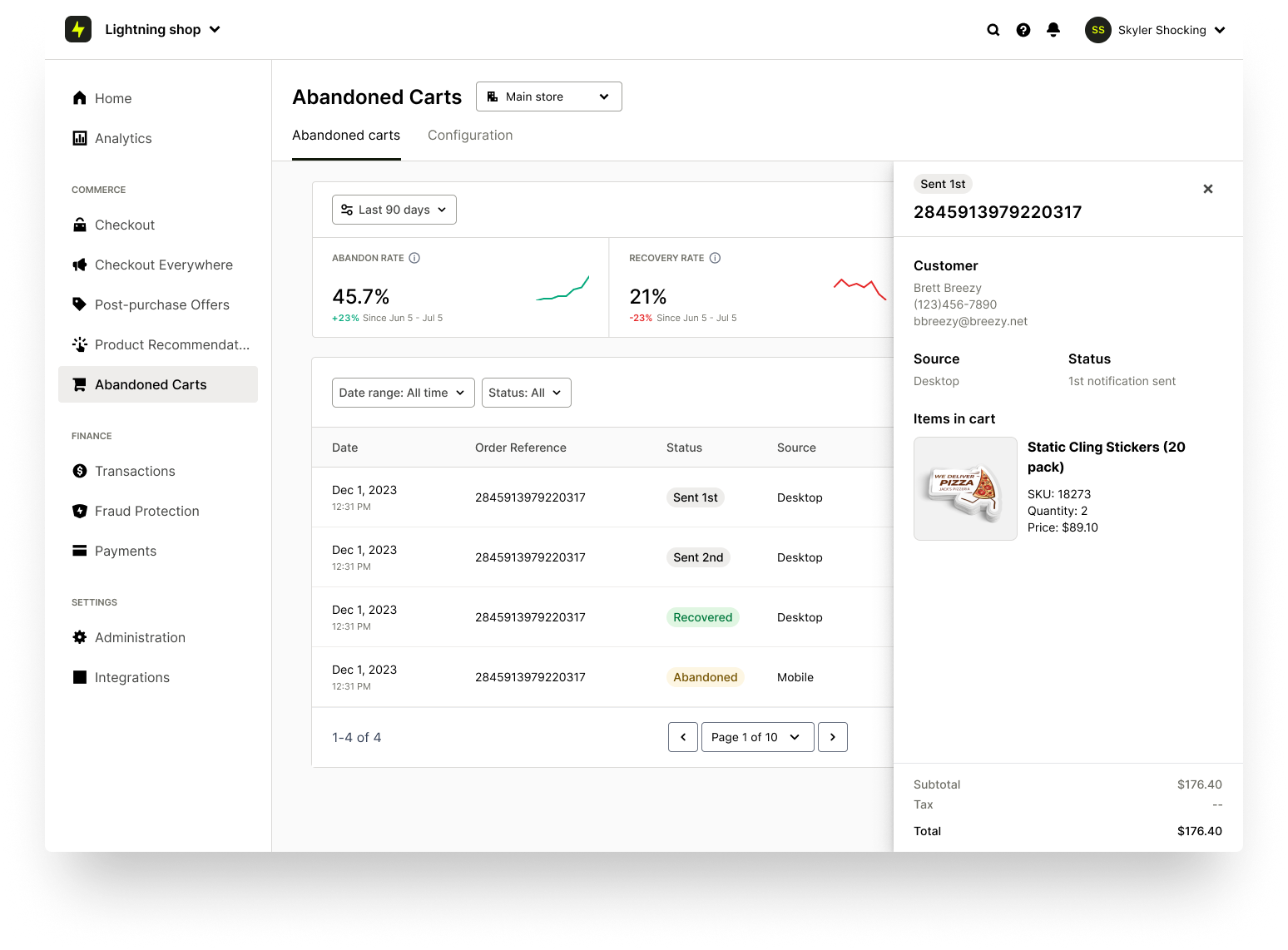
Abandoned Carts enables automated notifications that bring shoppers back to your site to complete their purchase. You can manage abandoned cart emails and view related checkout analytics in your Merchant Dashboard.
After enabling the Abandoned Carts feature for your account, you can view Abandoned Carts Analytics and monitor sent notifications.
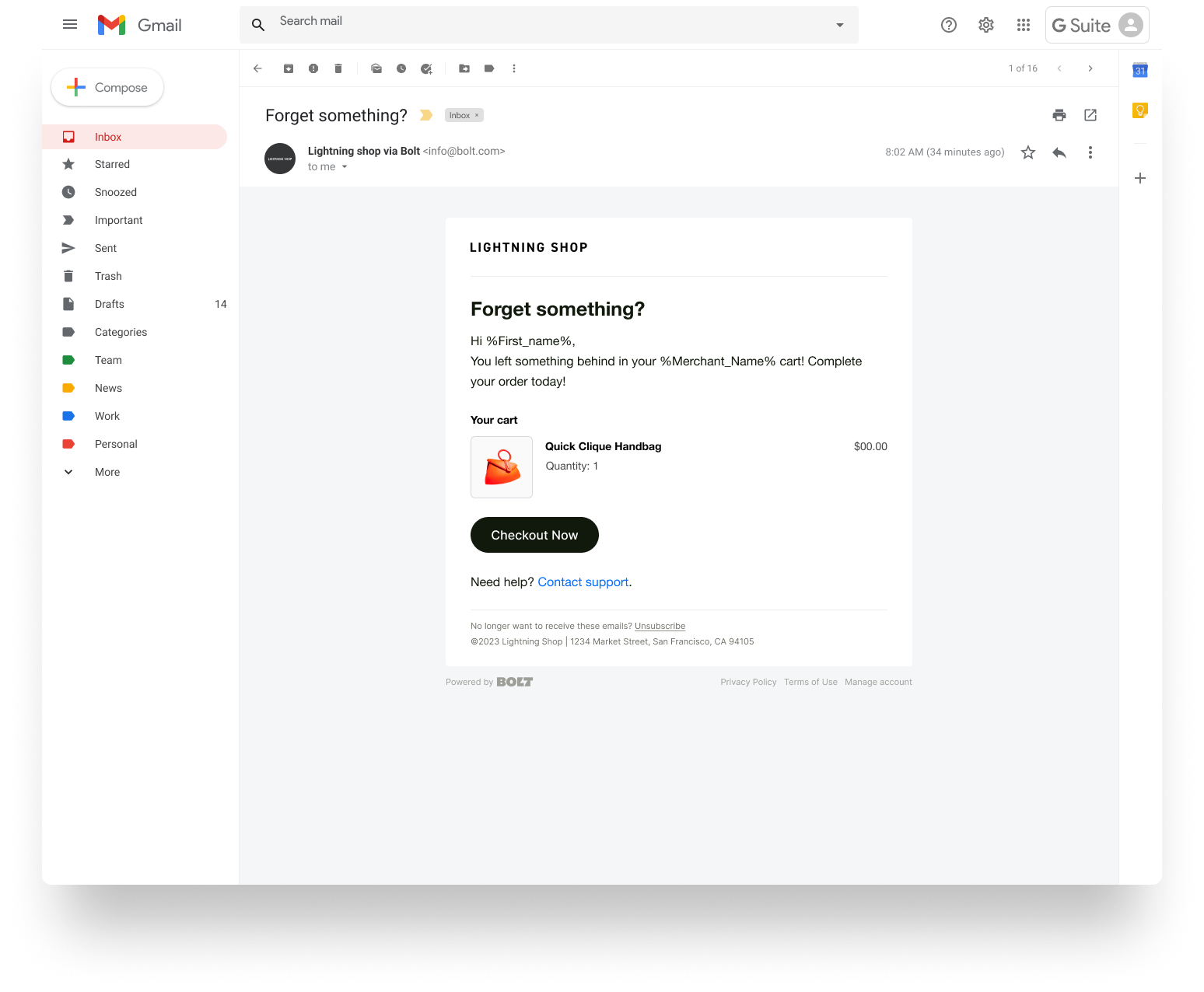
Abandoned Cart Flow
When a shopper with a Bolt account abandons a cart, Bolt logs the cart and the shopper’s device information. After a short waiting period, designed to ensure the shopper did not accidentally lose service or close their browser, an abandoned cart notification is sent to the device the shopper last used. Bolt adheres to CAN-SPAM regulations for abandoned cart notifications.
Platform Availability
| Platform | Supported Products |
|---|---|
|
Custom Cart / Direct API |
|
|
BigCommerce |
|
|
Adobe Commerce / Magento 2 (Adobe acquired the Magento brand in May 2018.) |
|
|
Salesforce Commerce Cloud SFRA |
|
|
Volusion |
|
|
WooCommerce |
|
Get Started
- Log in to Merchant Dashboard.
- In the left navigation, click Abandoned Carts.
- Click Get Started Today. A Bolt representative contacts you to enable the feature.
Abandoned Carts Settings
After enabling the Abandoned Carts feature, you can access the settings page:
- Merchant Dashboard > Abandoned Carts.
On this page, you can review key performance metrics, such as abandon rate, recovered rate, and total recovered.
You can also view detailed information for each abandoned cart, including:
- Abandoned Date
- Recovered Date
- Order Reference
- Status
- Abandoned Order Value
To view additional details for a specific order, click the order row.
Message Statuses
Abandoned cart notifications have the following statuses:
| Message Status | Description |
|---|---|
| New | Notification is queued to be sent. |
| Skipped | Notification is not sent due to duplication (the shopper repeatedly abandoned a cart) or staleness (the shopper returned and completed checkout). |
| Emailed | Notification has been sent. |
| Recovered | Notification was sent and converted the shopper to complete checkout. |