
📍
Shoppers / Your Bolt Shopper Account / Delete Your Bolt Account
Learn how to delete your Bolt account.
Account deletion steps
- Log in to your Bolt Shopper Account.
- Go to Account Settings.
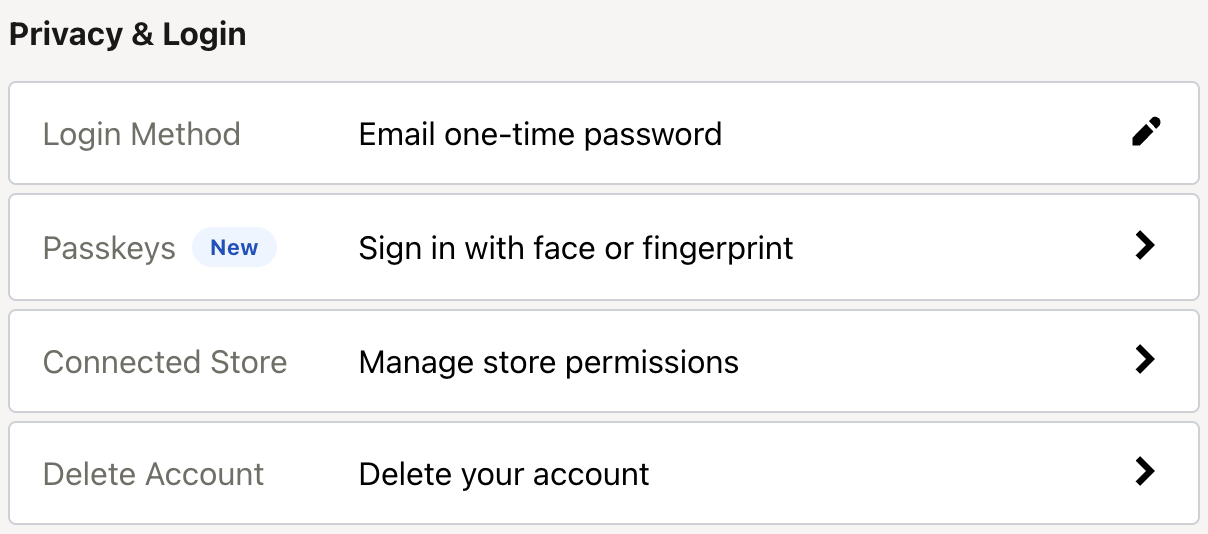
- In the Privacy & Login section, click Delete account.
- Select a reason for deleting your account, or enter another reason.
- Click Continue.
- If you are certain you would like to permanently delete your account, click Confirm.
What happens next
- You will receive an email confirming that your account was successfully deactivated.
- Bolt begins deleting your personal data in accordance with CCPA and GDPR requirements. This process can take up to 30 days.
- To remove your data from individual merchant systems, contact those merchants directly.