

Basics
What is Bolt?
Bolt is a payment processor that partners with online merchants to offer a seamless checkout experience while ensuring your information is stored safely and securely. For more information, refer to Bolt For Shoppers.How does Bolt work?
When shopping with a Bolt merchant, Bolt simplifies the checkout process by reducing the number of fields and steps required to complete your purchase. After your first transaction, future purchases are authenticated with a unique login code sent to your phone or email. No usernames or passwords are needed. As for your billing address information, it is already saved in your Bolt Shopper account, so you won’t need to enter it again. If your billing information, such as your billing address, has changed, you can update it. Log in to your Shopper Dashboard. Go to Wallet, click your credit card, and update your information or add a new payment method.How does buying from a Bolt merchant differ from other online merchants?
It doesn’t! Your shopping experience stays the same until checkout, which is faster and more secure with Bolt. All merchants who accept credit card payments use a payment processor, in this case, Bolt. The merchant provides the shopping experience, product or service, handles shipping, returns, exchanges, and refunds, and collects your payment. Bolt processes the payments and ensures the merchant gets paid. The only difference is a quicker checkout. When you make your first purchase with a Bolt merchant, your info is saved to your Bolt Shopper account Bolt For Shoppers. For future checkouts, just enter your email and verify your identity with a one-time code. No need to re-enter your details.How do I create a Bolt account?
You can create a Bolt account from the Shopper Dashboard, or when you check out with a participating merchant.How does Bolt keep my information secure?
Bolt securely stores your payment and shipping information following industry-standard best practices. Additionally, Bolt uses advanced fraud detection technology to prevent unauthorized transactions using your credit card details. For more information about our security measures, refer to Your Information in Bolt.Can I use Bolt on my phone?
We’ve optimized Bolt’s checkout process and Shopper Dashboard for desktop, tablet, and mobile, giving you the flexibility to shop and manage your account however you prefer!Shopper Tools
Bolt One-Click Checkout
Our flagship product: a delightfully simple checkout experience. When you enter the verification code to confirm your identity, we pull your saved address and payment information from your Bolt account to complete most of the checkout fields. All you have to do is click that checkout button.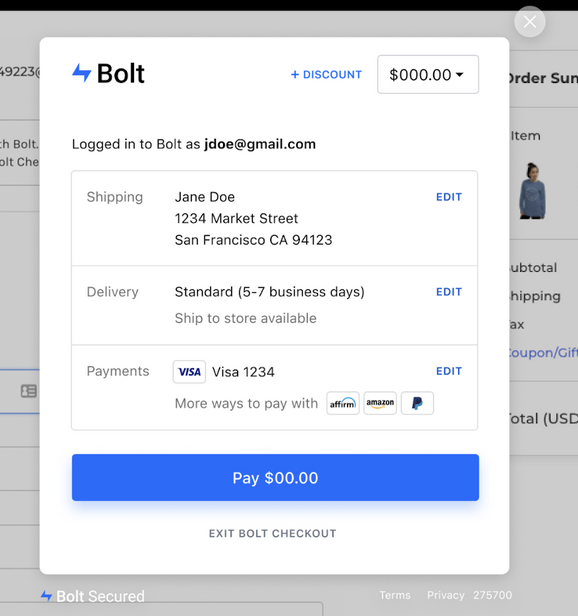
Shopper Dashboard
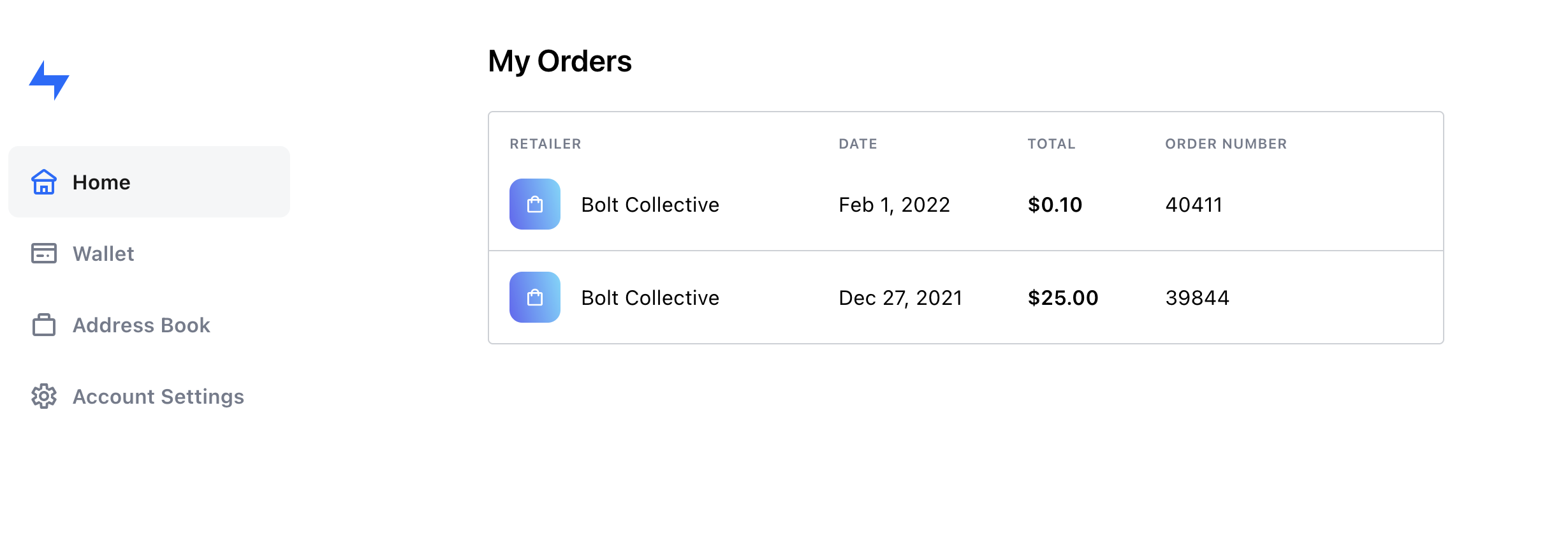
Your Shopper Dashboard is mission control for all things Bolt, where you can take the following actions:- Manage saved addresses and payment methods
- Manage account information like name and phone number
- View order history and details
Account Details
How do I update my phone number?
You can manage personal information, such as your phone number, in the Account Settings of the Shopper Dashboard.How do I update my name?
You can manage personal information, such as your name, in the Account Settings of the Shopper Dashboard.How do I update my shipping address?
You can manage your addresses from your Address Book in the Shopper Dashboard.How do I update my payment methods?
You can manage your payment methods from your Wallet in the Shopper Dashboard.Why can’t I update my billing address when placing an order?
Bolt does not require a billing address when you place an order. Our team is able to verify your order based on factors other than a billing address, which means fewer fields for you to fill out during checkout. If your billing information, such as your billing address, has changed, you can update it. Log in to your Shopper Dashboard. Go to Wallet, click your credit card, and update your information or add a new payment method.Why can’t I reset my password?
Bolt uses one-time codes via email or text to verify your identity. You do not need to create a username or password to access your Bolt account.Why can’t I change my email address?
For security reasons, shopper email addresses cannot be changed or updated. If you need to use a new email address, you’ll need to create a new Bolt Shopper account. To do this, contact Bolt Support at support@bolt.com and provide your old email address. This allows Bolt to release the mobile number linked to your previous account so you can add it to the new one. Please note that your order history will remain with your old account and cannot be transferred.Can I check out without creating a Bolt account?
Yes! Simply choose Checkout as a guest on the payment page.Why did my information auto-fill when I do not have a Bolt Shopper account?
Some Bolt merchants allow shoppers to make purchases with a single click using saved payment details, even if they haven’t created a Bolt Shopper account. This feature works similarly to a digital wallet and can be used on any website or app that supports Visa, Mastercard, American Express, Discover, debit cards, or prepaid cards. Please note that this data is not stored by Bolt, but by a separate entity: your credit card provider. For any questions or concerns about Click to Pay, please contact your card provider directly:- Visa – Click here
- Mastercard – Click here
- American Express – Click here
- Discover – Click here