

Open a transaction
- Log in to the Merchant Dashboard.
- Go to Transactions.
- Select a transaction to open its details.
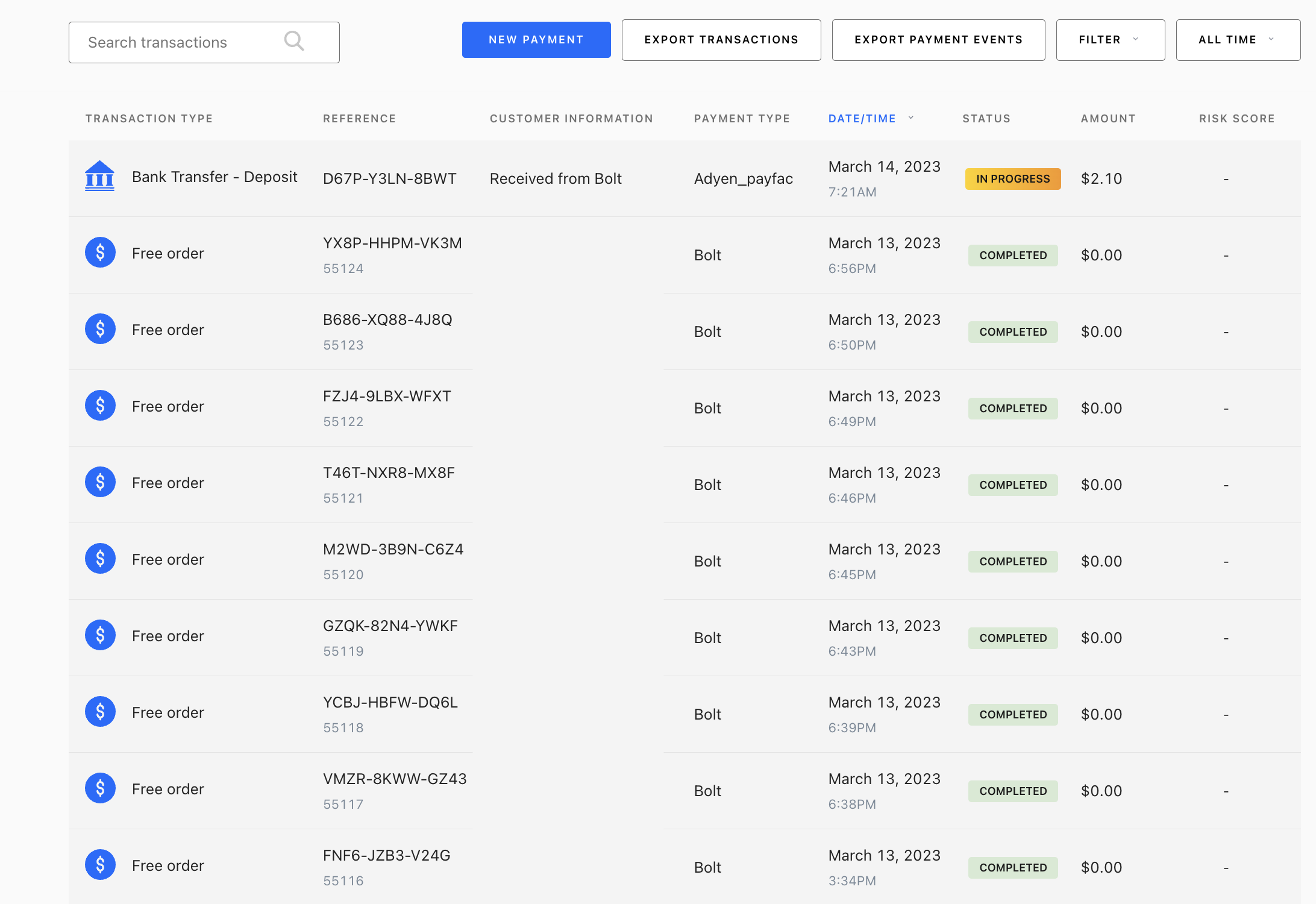 The detail view includes customer and payment information, indemnification and risk data, transaction events, and an itemized receipt.
Search and filters
Use the search bar for customer name, order number, Bolt transaction ID, or customer email.| Filter | Description |
|---|---|
| Amount | Transaction dollar value |
| Authorized | Approved but not yet captured |
| Completed | Successful transaction |
| Failed Authorization | Unsuccessful, not cancelled or rejected |
| In Review | Under fraud investigation |
| Permanently Rejected | Rejected and cannot be appealed |
| Recently Rejected | Rejected but may be appealed |
| Payment Type | Payment method used |
Time ranges
| Range | Description |
|---|---|
| All Time | Default. All transactions ever processed |
| Today | Current calendar day |
| This Week | Past 7 days |
| This Month | Past 30 days |
| This Quarter | Current 3-month quarter |
| This Year | Past 365 days |